Skip to content
Ospitero
For holiday rentals, apartments and vacation homes

Every clean in view – without the WhatsApp chain.

Ospitero turns your bookings into cleaning jobs, sends them to your cleaner’s phone and shows you what is done. For everyone letting a handful of properties – not for hotel chains.

  • 1 month free
  • No credit card
  • All features included
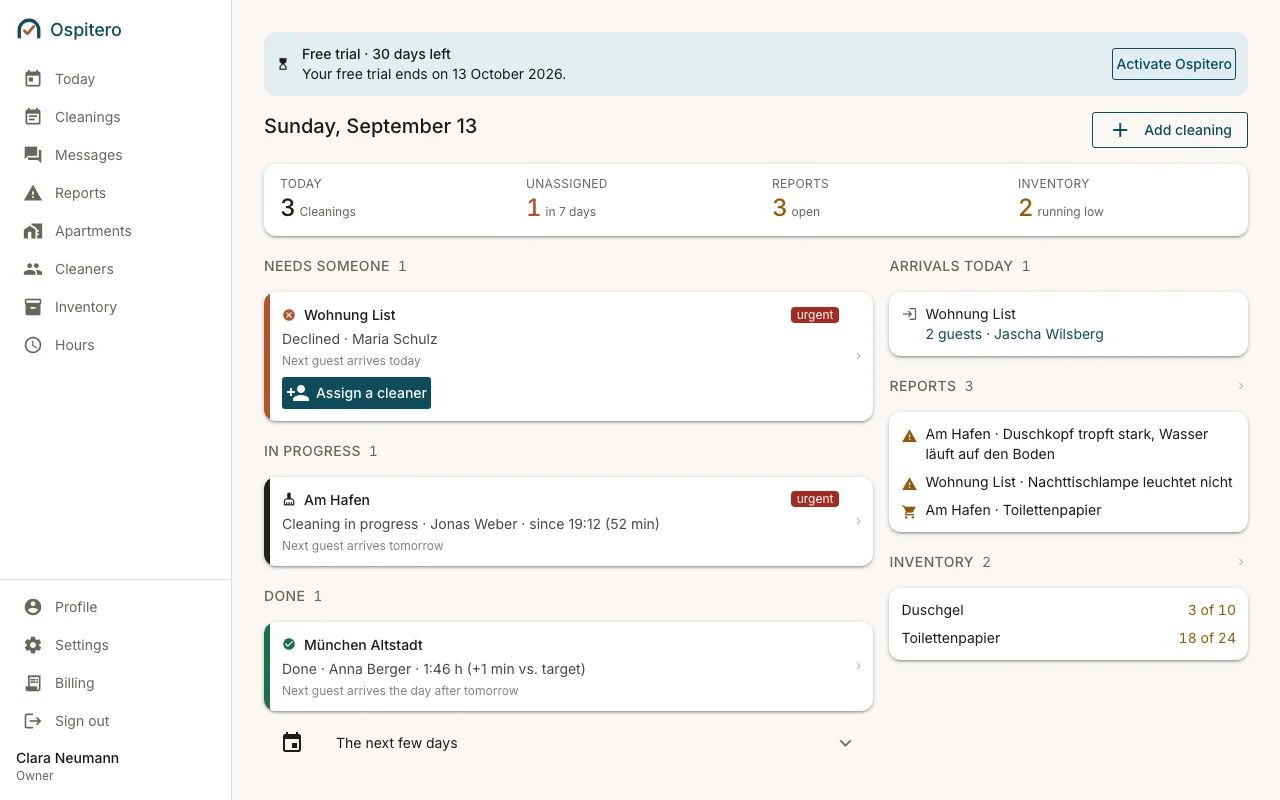
The Ospitero dashboard: today’s cleans with the states “needs someone”, “running” and “done”, next to arrivals, reports and supplies.
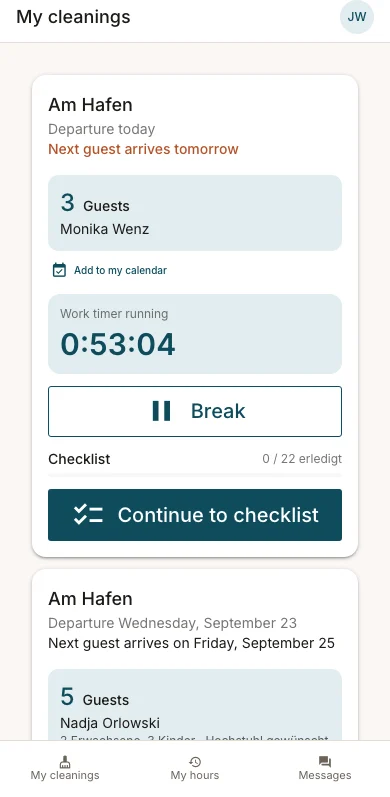
A cleaner’s phone view during a running clean, with the working time ticking.

Reads your bookings from

  • Airbnb
  • Booking.com
  • Vrbo
  • Smoobu
  • Lodgify
  • Hostaway
  • Hospitable
  • any iCal calendar
The problem

Organising cleans often costs more nerves than the cleaning itself.

Anyone letting a handful of properties knows this day.

R Cleaning apartments You, Maria, Jonas
  1. Check-outs at the harbour flat and at List today. Who can do them?
  2. MariaWhich one was List again? I can only start at 12.
  3. Careful, new booking: the guest arrives at 3 already!
  4. JonasI’m at the harbour. Where is the key?
  5. Did List actually get finished??
  • WhatsApp, spreadsheets and shouting

    Every detail lives somewhere else – and the one that matters has long scrolled out of the chat.

  • Check-outs arrive too late

    Your cleaner does not hear straight away when guests leave, and plans the day blind.

  • Last-minute changes get lost

    A booking in the morning, a change at noon – and yesterday’s plan is wrong.

  • Everything passed on by hand

    Booking system, calendar, chat: you copy out dates, type them on and then ask again.

  • Past three properties it tips over

    Who cleans where, and when – and who has just cancelled? At some point no head holds the overview.

  • No telling what is finished

    You only find out when you ask. Or when the next guest calls.

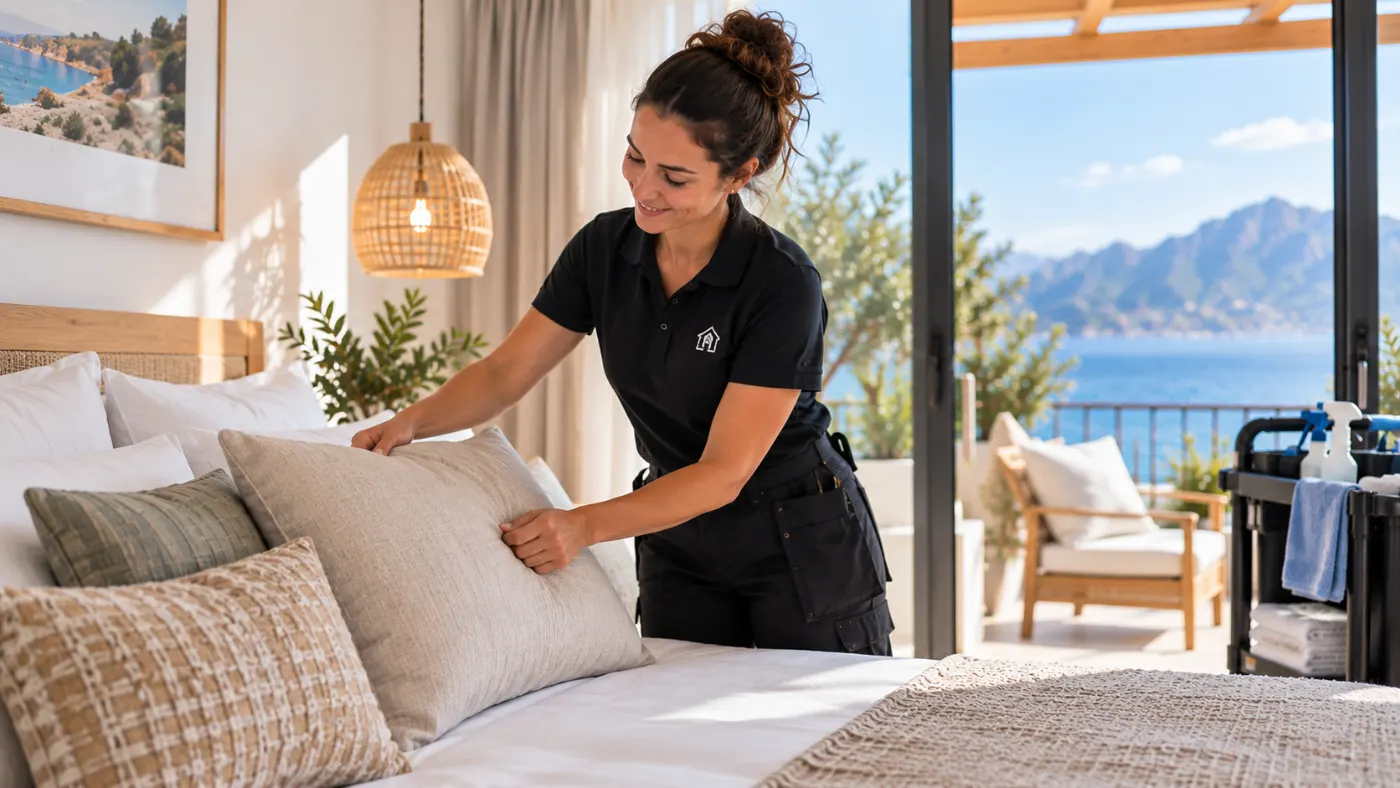
A cleaner making the bed in a bright holiday flat with a sea view.

It works without all that.

The solution

How it works with Ospitero

Four steps instead of twenty messages – at the desk for you, on the phone for your cleaner.

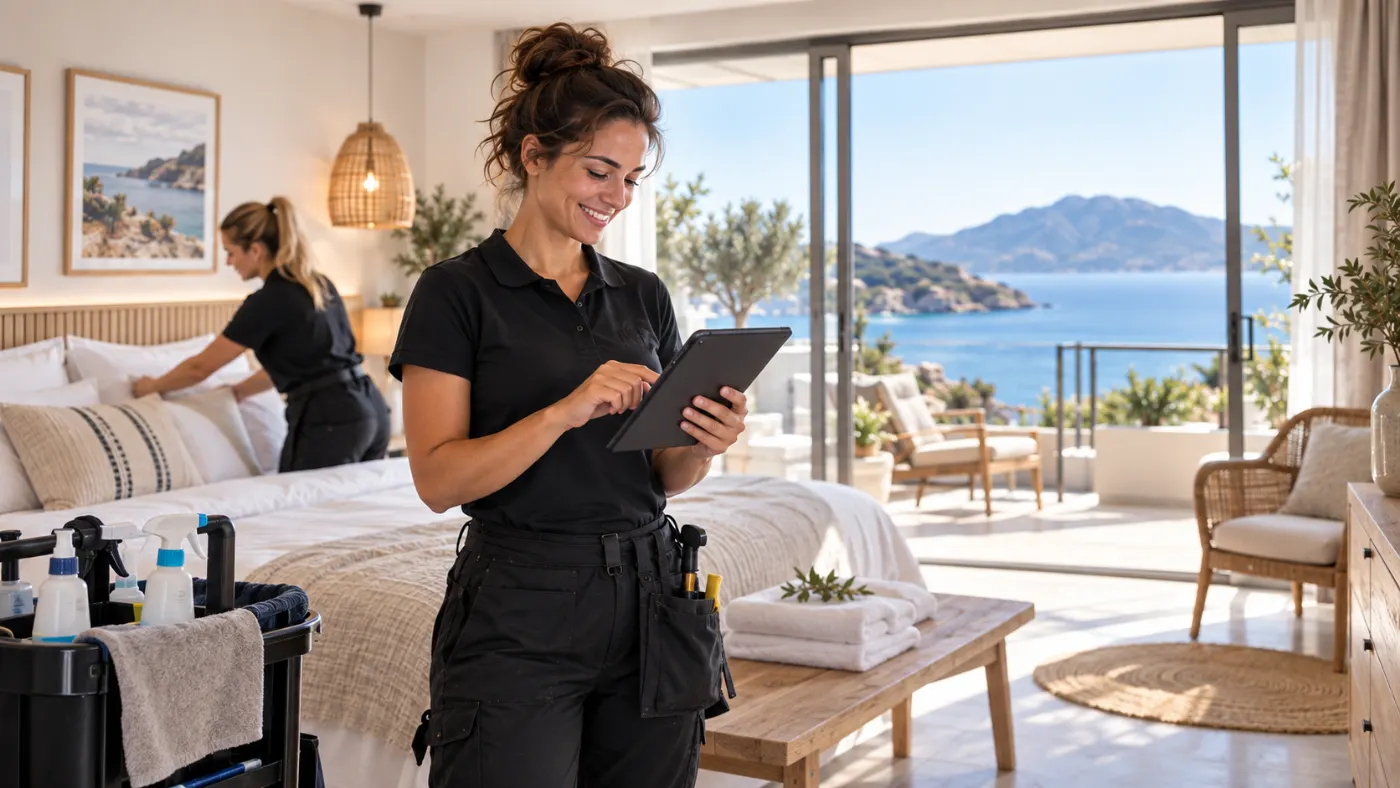
Two cleaners in a holiday flat: one holding a tablet, the other making the bed.
AssignAm Hafen · SaturdayAnna Berger takes it

Step 1: Bookings and cleans in view

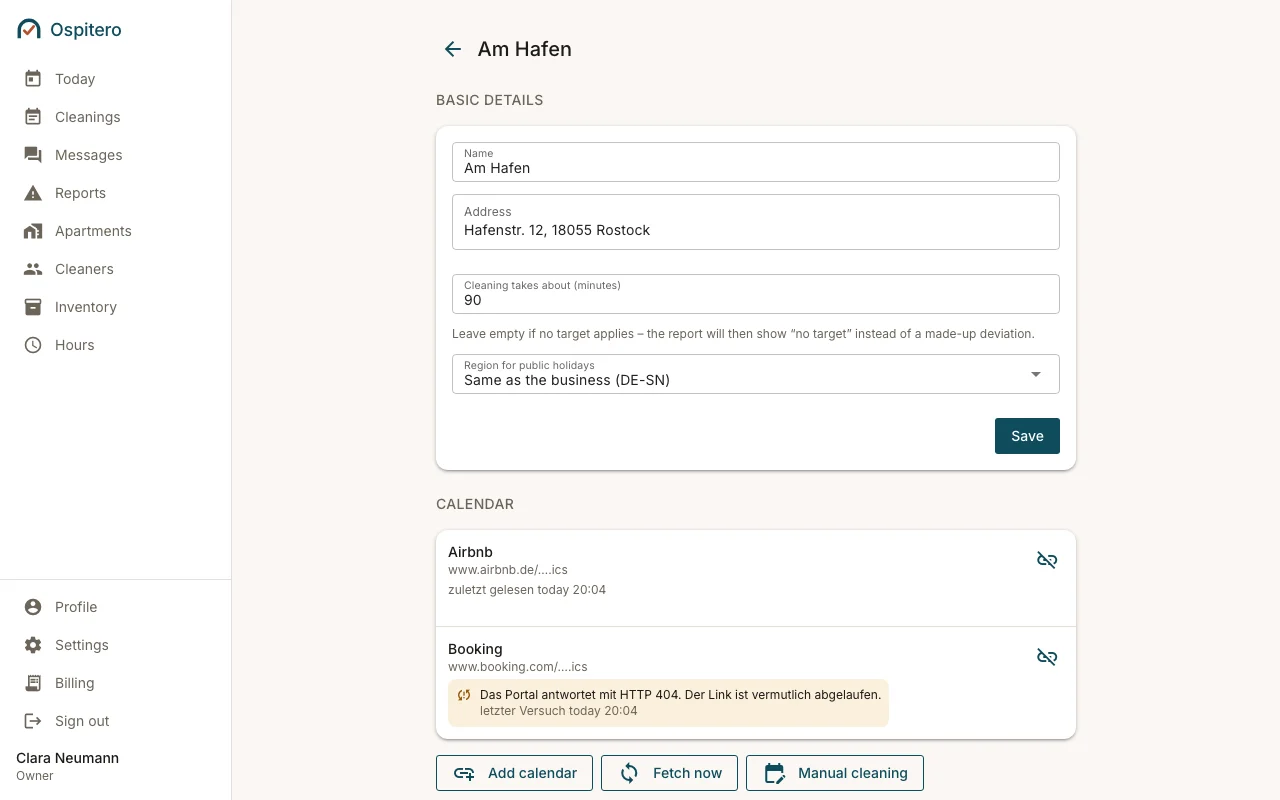
Connect the calendars of Airbnb, Booking.com or Vrbo – or your channel manager directly. Every check-out becomes a clean, with guest, number of people and the next arrival. New bookings appear on their own.

  • Calendar links (iCal) from all the big portals
  • Smoobu connected directly
  • Lodgify, Hostaway and Hospitable newly added
  • Yours missing? Tell us – we will connect it
  • Add cleans by hand without a portal
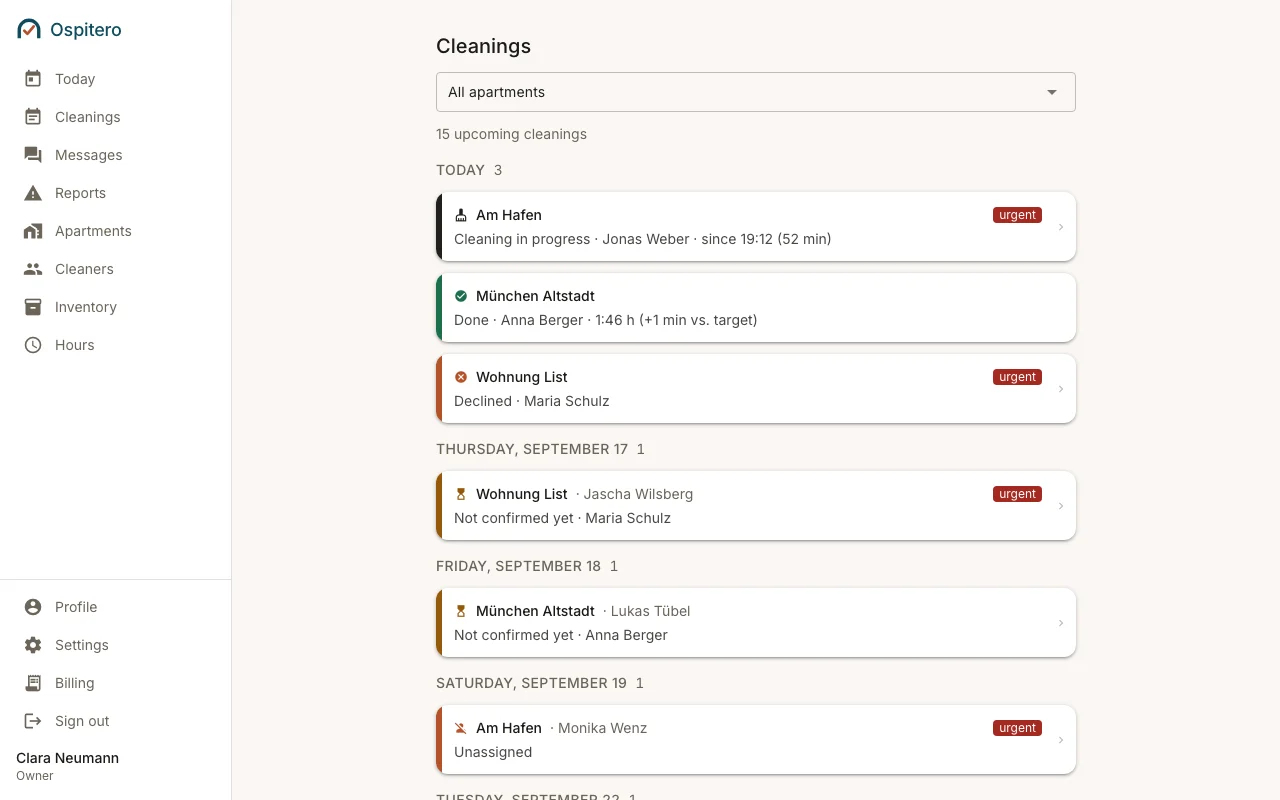
The “Cleans” page: every upcoming clean grouped by day, with property, guest and the cleaner in charge.

Step 2: Assign a cleaner

One click – and Ospitero suggests the property’s regular cleaner. Whatever nobody has taken on, or was cancelled, sits at the top of your dashboard. You do not have to hunt for what is missing.

  • A regular cleaner per property
  • Cancellations visible at once
  • As many cleaners as you like
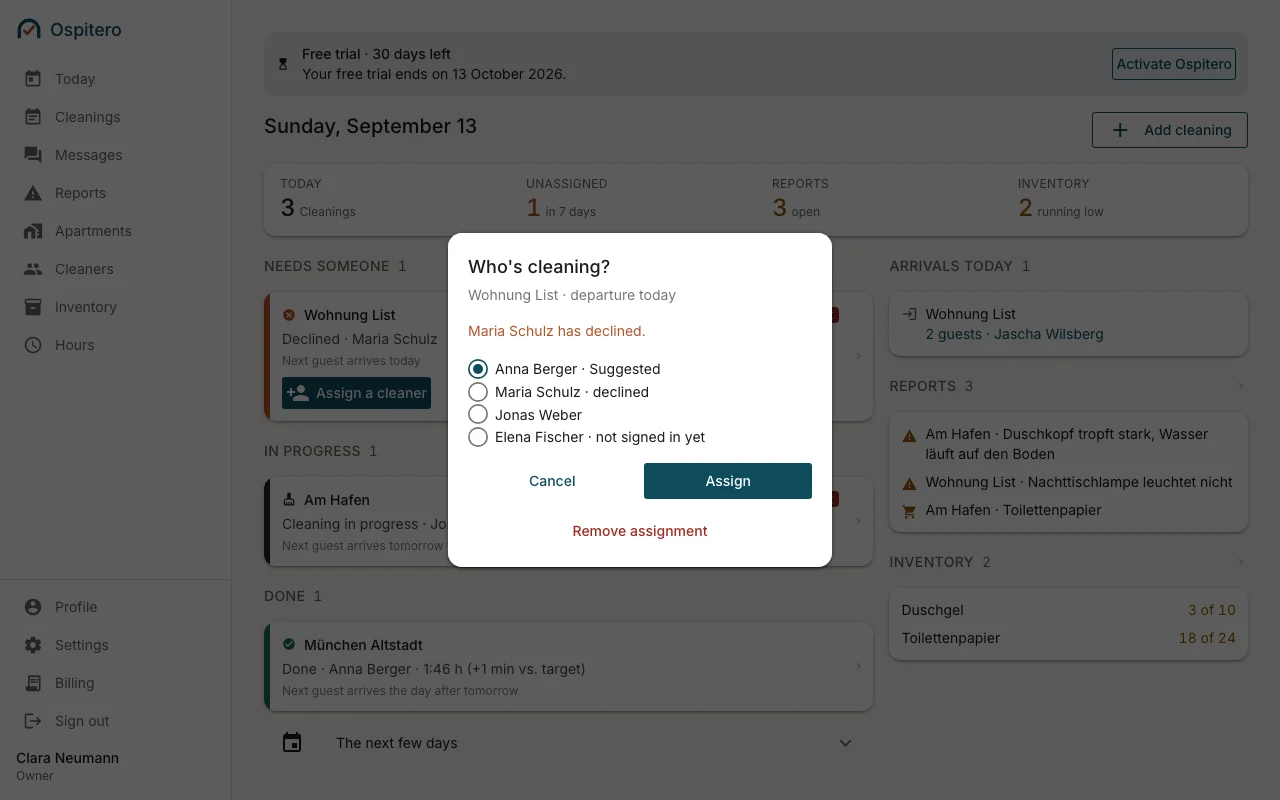
The “Assign cleaner” dialog on the dashboard, with the list of cleaners to choose from.

Step 3: The jobs land on the phone

Your cleaner sees their dates, the next guest and the number of people – and accepts with one tap. No app from the store: an invitation by email or a link is enough.

  • Accept or decline with one tap
  • The date in their own calendar
  • Runs in the browser of any phone
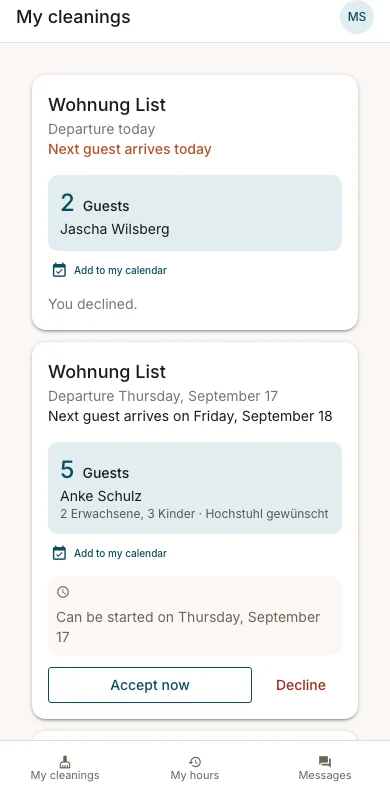
“My cleans” on a cleaner’s phone: the next jobs with property, check-out, guest and number of people.

Step 4: Done means done

Start, break, finished: the working time runs alongside, the checklist leads room by room. Your dashboard says “Done” right away – with name and duration.

  • Checklist with target and actual photo
  • Report damage and supplies
  • Working time with breaks
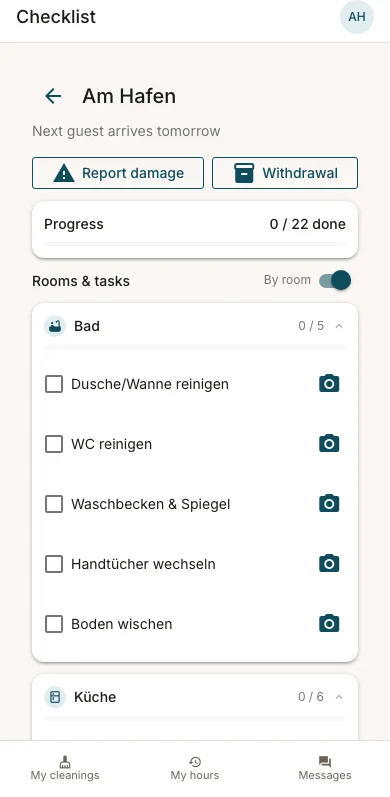
The checklist of a running clean on the phone, split by room, with progress.
Messages

Messages, not phone numbers.

Whatever you agree about a clean sits where the job sits – without swapping phone numbers. Anyone not in Ospitero right now gets a short email and replies with one click.

  • One conversation per person, unread at the top
  • Nobody sees the other’s email address or phone number
  • At most one notification email per conversation every quarter of an hour – switch it off in your profile
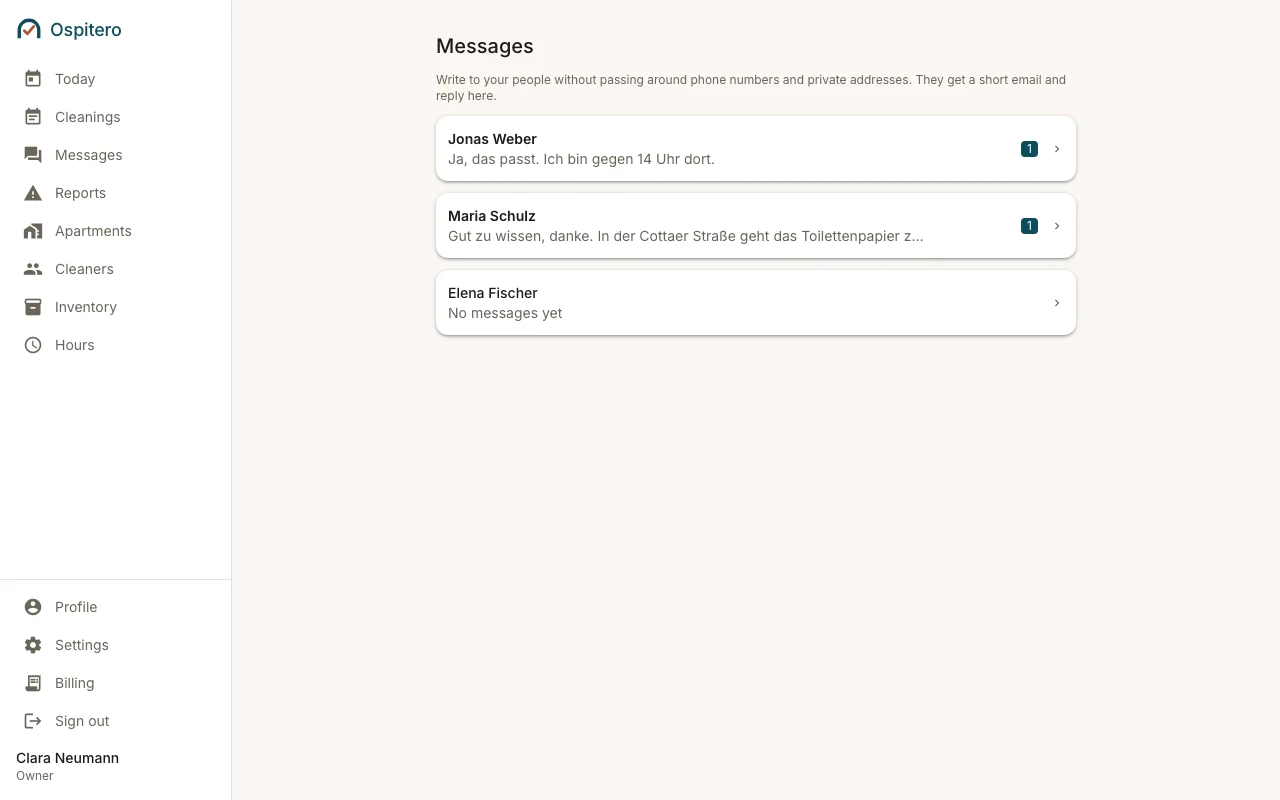
The “Messages” page in Ospitero: one conversation per person, unread replies with a counter, and the note that nobody has to pass phone numbers around.
Integrations

Where your bookings come from

Two ways lead to the same place – and you only need one.

Calendar link (iCal)

The way most people take: Airbnb, Booking.com, Vrbo and almost every other portal hand out a calendar link. You paste it into the property, and every check-out becomes a clean. Works everywhere, with nobody having to unlock anything.

No account with us needed · set up in minutes

Channel manager

If you run Airbnb or Booking through a channel manager, you often no longer get a calendar link there. Then Ospitero reads directly from your provider – and brings what the calendar link is missing: guest name, number of people, check-in and check-out time.

Smoobu runs in production · Lodgify, Hostaway and Hospitable are newly added

Your provider missing?

Then tell us – there is a button for it inside the product. Building an integration is cheap for us; what costs is testing it against a real account. So we set it up together with you instead of putting you on a list.

Beds24, Guesty, Rentals United and others on request

Newly added means: built and tested, but not yet run at many operators. If something goes wrong we get back to you the same day – and your calendar link gets you there in the meantime.

See Ospitero

Everything in one place.

Real screens from Ospitero – with made-up sample data.

Ospitero, Dashboard: What is on today: who still needs someone, what is running, what is done – next to arrivals, reports and low supplies.
Dashboard – What is on today: who still needs someone, what is running, what is done – next to arrivals, reports and low supplies.
Ospitero, Cleans: Every upcoming clean by day, filtered by property – with state, guest and who is in charge.
Cleans – Every upcoming clean by day, filtered by property – with state, guest and who is in charge.
Ospitero, Property: Per property: calendar links, regular cleaner, checklist and target time.
Property – Per property: calendar links, regular cleaner, checklist and target time.
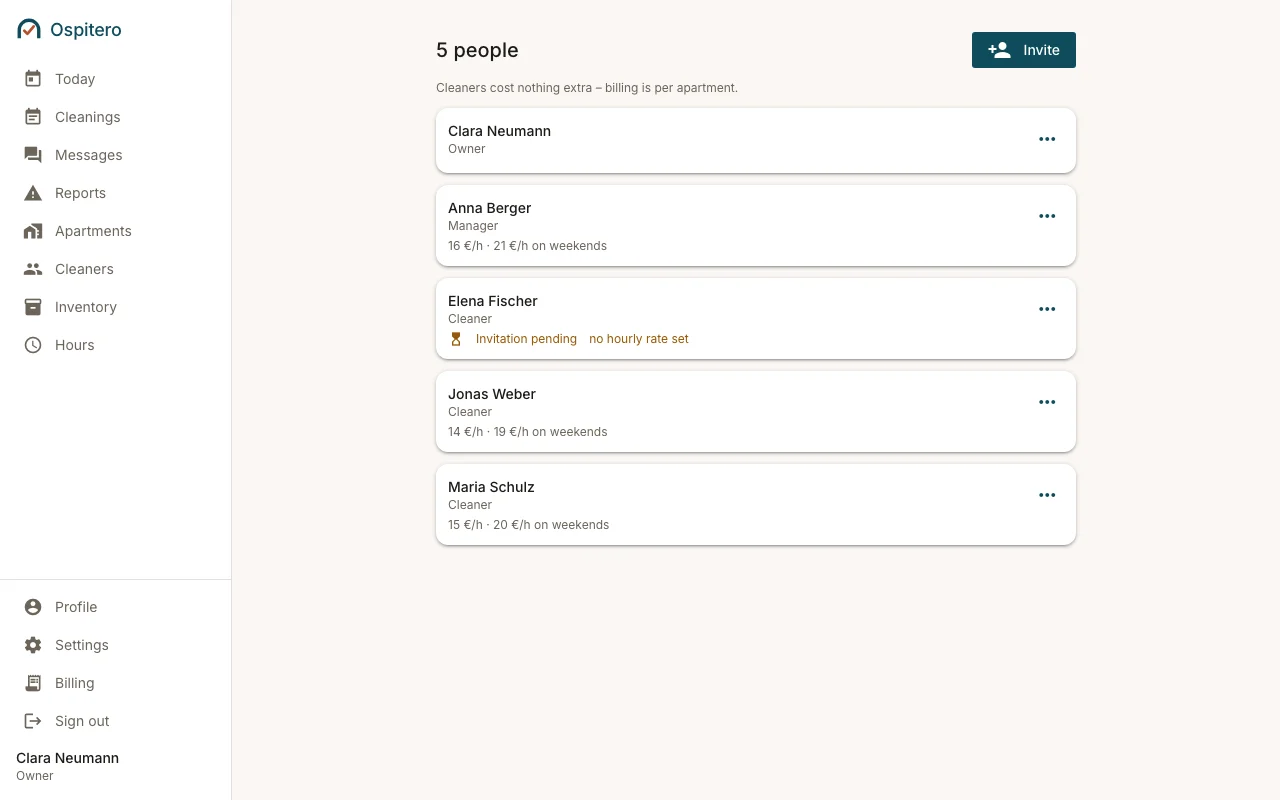
Ospitero, Team: Invite cleaners, keep roles and hourly rates, retire access.
Team – Invite cleaners, keep roles and hourly rates, retire access.
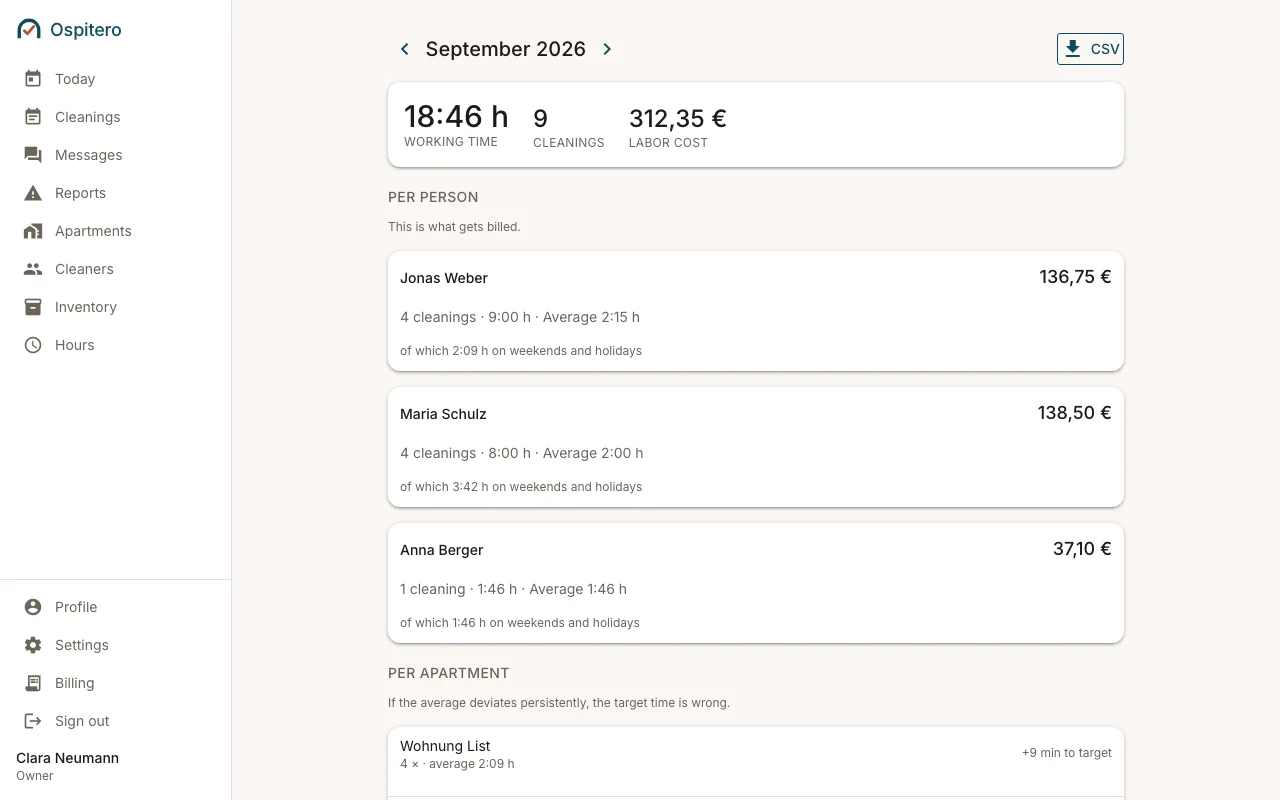
Ospitero, Records: Working hours per month with breaks and every correction – as CSV for payroll or your accountant.
Records – Working hours per month with breaks and every correction – as CSV for payroll or your accountant.
For cleaners

Made for the road – and for rubber gloves.

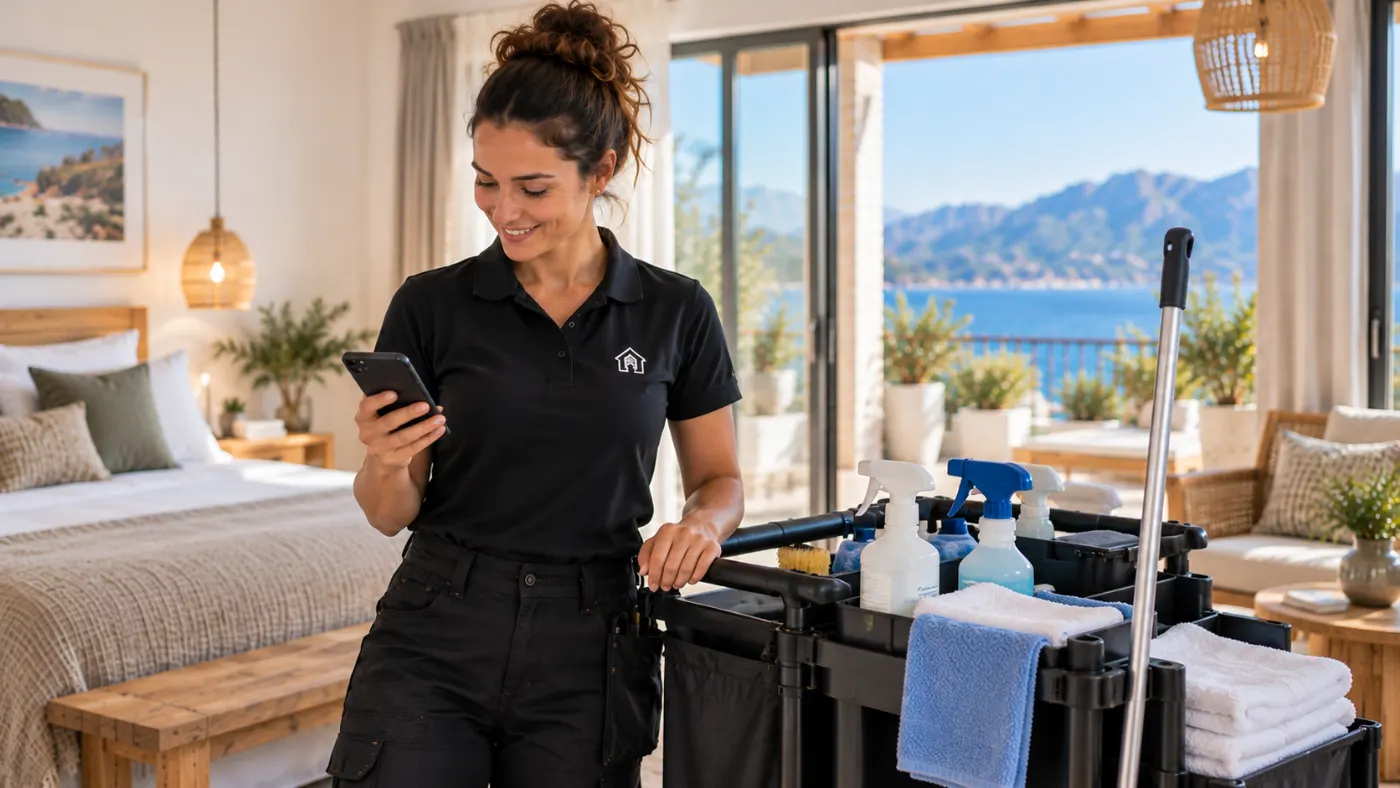
Cleaners work on their phone, between two properties, often with wet hands. Hence: big buttons, little text and only ever one next step.

  • Accept or decline jobs with one tap
  • One button for start, break and finish – the clock runs alongside
  • Checklist room by room, the whole row is the tap target
  • Report damage or missing supplies in two taps
  • See their own working hours at any time
A cleaner with a cleaning trolley looking at her phone.
New cleanAm Hafen · checkout todayAcceptDecline
The upcoming jobs of a cleaner.
My cleans
A running clean with working time and a break button.
The clock runs alongside
The checklist of a clean, split by room.
Tick off room by room
What you get out of it

Less coordinating. More overview.

  • Less coordinating

    Jobs, acceptances and cancellations sit in one place – not in twenty chat messages.

  • Fewer mistakes

    Cleans come out of the real bookings. Nothing is copied over, nothing forgotten.

  • Plans always current

    New bookings show up on their own – for you and for your cleaner.

  • Clear responsibility

    Every clean has a name. You see a cancellation at once and assign it anew.

  • A better overview

    Every property on one screen: open, running, done.

  • Easy for cleaners

    A link instead of an app. Big buttons, only ever one next step.

A host sitting with a laptop at the dining table of a holiday flat.
Proof12.5 h in SeptemberWith breaks and every change

And at the end of the month: a record that holds up.

Working time with breaks, every correction with its reason and the original value. As CSV for payroll or your accountant.

See the records
Pricing

1 month free.

Then from €8.40 a month. No tiers, no packages – one price for everyone, and you only pay for your active properties.

Then from

€8.40 / month
  • Base fee€5.90
  • per active property+ €2.50
  • at most€99 / month
  • All features included
  • Unlimited cleaners
  • No setup fee
  • 1 month free
Try it free for 1 month

All prices plus VAT · cancel monthly · 2 months free when paid yearly

What does Ospitero cost for you?

properties
€13.40 / month

Your first month: €0

€5.90 base fee + 3 × €2.50

All features included · Unlimited cleaners

What is not part of it: no channel manager, no pricing automation, no guest chat, no marketplace for cleaners. Ospitero does one thing – but properly.

Questions

What operators want to know first

Do I need a channel manager?

No. Ospitero reads the calendar links (iCal) of Airbnb, Booking.com, Vrbo and other portals. If you use Smoobu, you connect it directly – then the guest name, the number of people and the check-in time come along too.

Which channel managers are connected?

Smoobu runs in production. Lodgify, Hostaway and Hospitable are newly added – they work, but have not yet run at many operators; if something goes wrong we get back to you the same day. Beds24, Guesty, Rentals United and others we connect on request – and set them up together with you. Until then the calendar link always gets you there.

Does my cleaner have to install an app?

No. They get an invitation by email or as a link, set their own password and see their jobs in the browser of their phone. Only they know their password.

How do we talk to each other?

In Ospitero, one conversation per person. You do not have to swap phone numbers or email addresses for it – nobody sees the other’s. Anyone not in the app right now gets a short notification email and replies through the link in it.

Does it work without a booking portal?

Yes. Cleans can be added by hand – for your own stays, for tradespeople or for bookings that hang on no portal.

What happens when a cleaner cancels?

The clean jumps to the top of your dashboard, to “needs someone”. One click gives it to somebody else.

Is my data separate from other businesses?

Yes, completely. Every business gets its own set of data. There is no shared table in which businesses could mix.

What does it really cost?

The first month is free. After that you pay a €5.90 base fee plus €2.50 per active property per month, at most €99. Paid yearly it is ten monthly prices – 2 months free. Retired properties cost nothing, cleaners never cost extra. All prices plus VAT.

What happens after the free month?

Nothing you do not set off yourself: without activation nothing is charged. Your access is then limited, your data stays – activate later and everything is still there. We remind you 7, 3 and 1 day before, and on the last day.

Organise your cleans more easily, starting today.

Create an account, enter your first property, invite a cleaner – in a few minutes. The first month is free, without a credit card.

Already with us? Sign in